The RSKTV player on Samsung TV
RSKTV Player Pro is a Samsung Tizen app that plays the playlists you already own, as an M3U link or from a media server. It targets 2018 and newer sets (Tizen 4.0 or later) and is driven entirely from the remote. It supplies no channels: you bring your playlist.
RSKTV Player Pro is being reviewed by Samsung: it is not yet published on the Samsung TV App Store. The current review covers the United States; other countries are not open yet, and no date has been announced. This page describes the player as it will work on this platform.
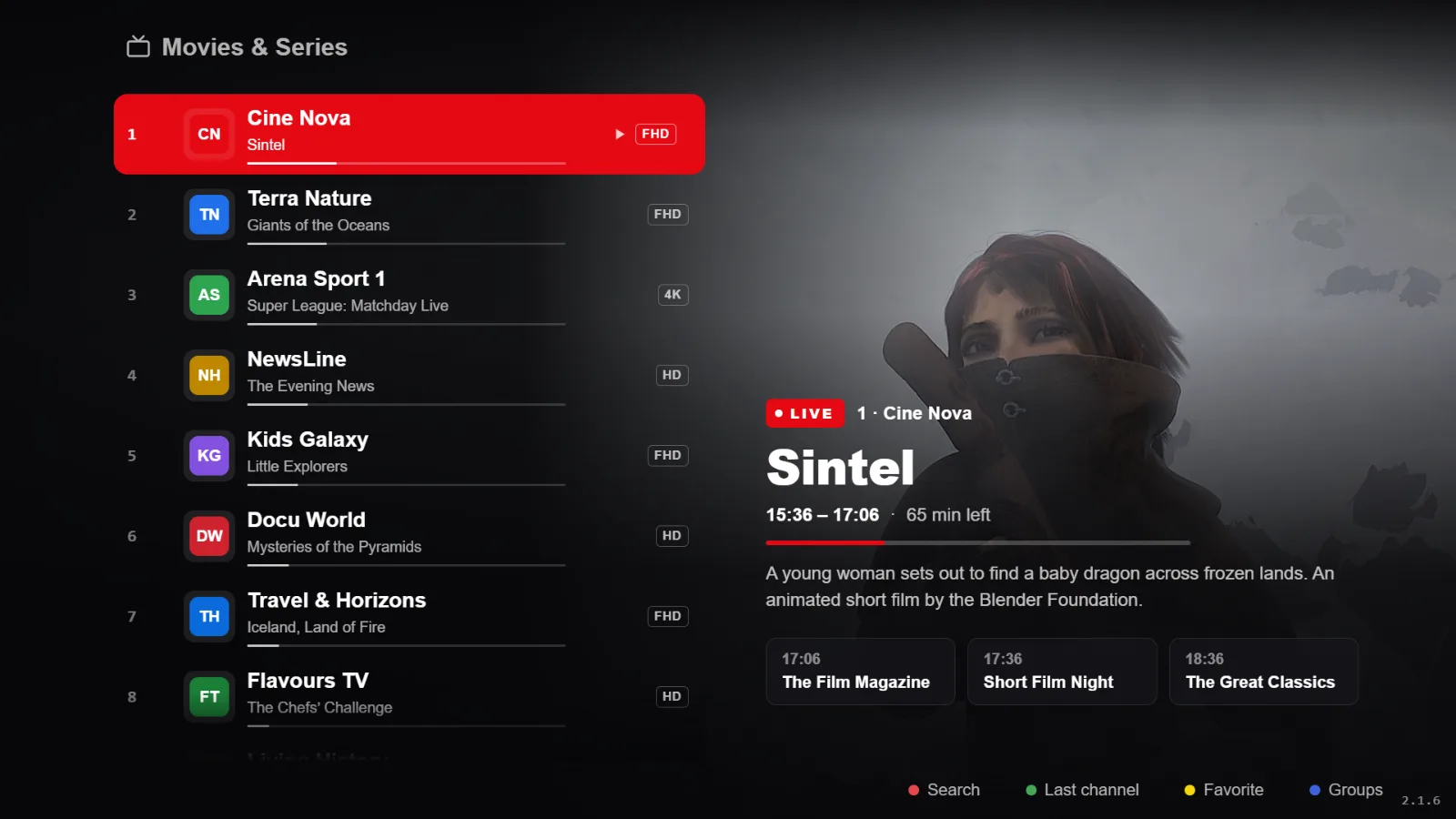
What it gives you on a Samsung TV
- Built for Tizen, not ported from a phone: grid navigation with the remote, text readable from three metres, no pointless touch targets.
- Hardware decoding through the TV’s native video engine — that is what keeps live playback smooth on entry-level sets.
- Live with an electronic programme guide, and channel-number zapping.
- Films and series, resuming where you stopped.
- Catch-up on playlists that offer it, plus radio.
- Several saved playlists, switched instantly.
- Interface in French, English, Spanish, Italian and Russian.
What you need
| Item | Detail |
|---|---|
| TV set | Samsung running Tizen 4.0 or later, which in practice means 2018 models and newer. |
| Network | An internet connection on the TV. Wi-Fi works; Ethernet is safer for live streams. |
| Account | A Samsung account signed in: the app store asks for it. |
| Playlist | Yours: an M3U link or a media server. It is not supplied. |
Your playlists, and nothing else
RSKTV Player Pro is a player. It provides, hosts, resells and suggests no channels, no films, no content subscription. What you pay for is the software licence, nothing more.
You bring your own playlist, through a media server (server address, username, password) or a single M3U link. You remain solely responsible for where it comes from and whether it is lawful where you live.
You add it from this website, using the device ID and code the app displays — not with the remote. Several playlists can coexist and be swapped in two clicks.
Trial, price and licence scope
- Seven-day trial, all features, no card required. It starts on its own at first launch, once per device.
- After that, a licence: twelve months or a one-off purchase. Current prices in your currency are on the home page.
- One licence covers a single device, identified at activation. A second screen needs a second licence.
- If you replace the device, support can attach your licence to the new one — once per licence.
- No advertising, at any point, and no resale of viewing data.
Installing on Samsung
Installation happens through the app store built into the TV: no USB stick, no developer mode. The guide walks through it, including what to check if search turns up nothing.
Frequently asked questions
Can my 2016 Samsung TV run it?
No. Below Tizen 4.0 — so before 2018 — the app store cannot offer the app. An external box over HDMI remains an option, and the app behaves the same way there.
Do I need a subscription on top of the licence?
For the player, no: the licence is the only payment. But a player is useless without a playlist, and that playlist is yours to bring. RSKTV neither sells nor supplies one.
Does it work on a Samsung monitor or a commercial display?
Professional ranges often run a Tizen variant with a different app store. We do not document them and cannot guarantee compatibility.
Seven-day trial, no card required.