The RSKTV player on Fire TV
RSKTV Player Pro runs on Amazon Fire TV sticks and boxes, and plays your M3U or media-server playlists. The Fire TV Stick being the most modest device we target, the app is measured closely on it: it sets the floor for how smooth things must feel.
RSKTV Player Pro is not yet published on the Amazon Appstore. In the meantime it installs directly, without a store — the installation guide explains how. The link to the listing will be added as soon as it goes live.
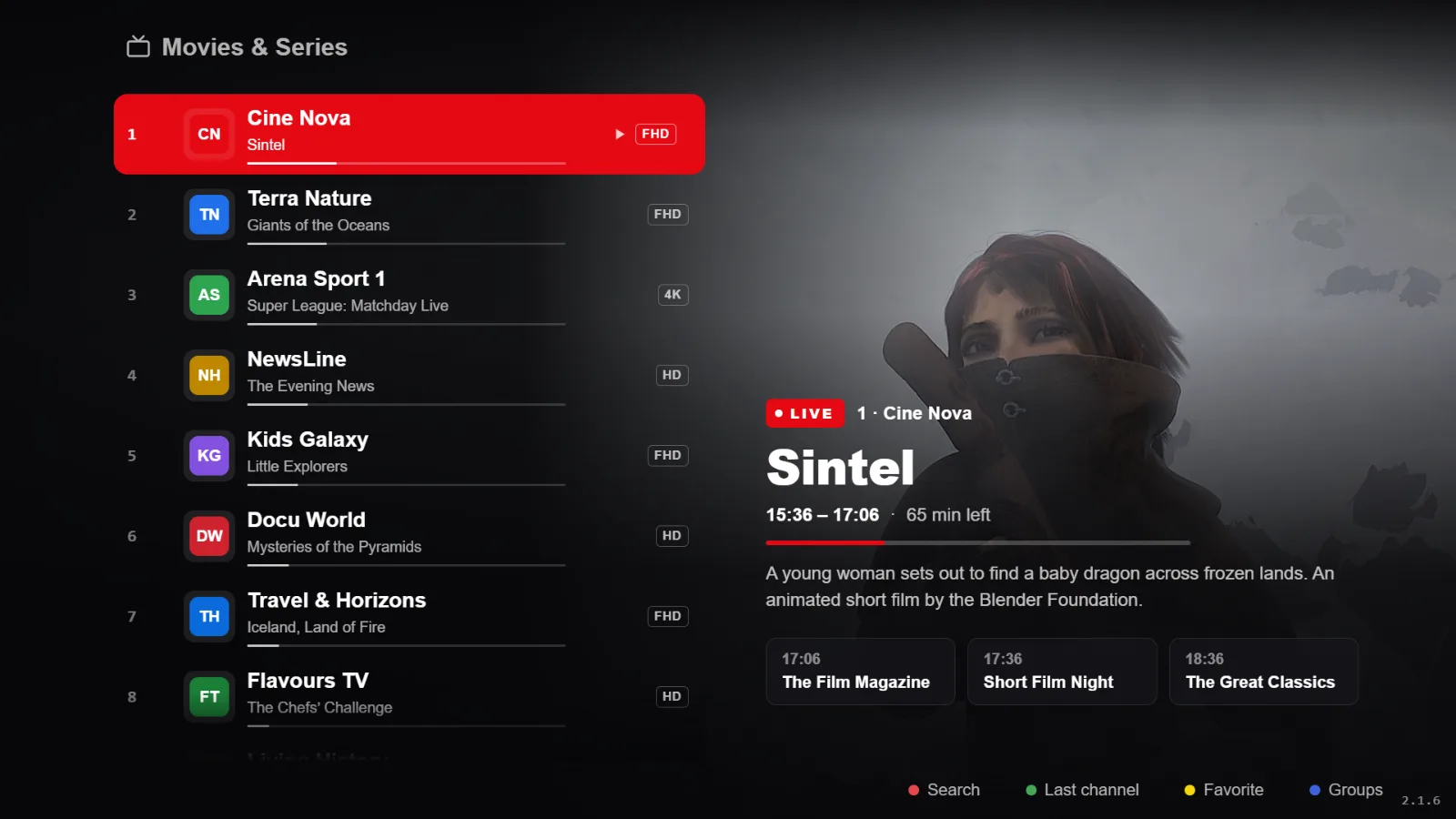
What it gives you on Fire TV
- Deliberate restraint on the Fire TV Stick: few animations, images loaded on demand, memory watched.
- Full Fire TV remote support, play key included — one physical button is enough to pause.
- Live with an electronic programme guide, and channel-number zapping.
- Films and series, resuming where you stopped.
- Catch-up on playlists that offer it, plus radio.
- Several saved playlists, switched instantly.
- Interface in French, English, Spanish, Italian and Russian.
What you need
| Item | Detail |
|---|---|
| Device | Fire TV Stick, Fire TV Cube or Fire TV television. |
| Account | An Amazon account signed in on the device. |
| Playlist | Yours: an M3U link or a media server. |
Your playlists, and nothing else
RSKTV Player Pro is a player. It provides, hosts, resells and suggests no channels, no films, no content subscription. What you pay for is the software licence, nothing more.
You bring your own playlist, through a media server (server address, username, password) or a single M3U link. You remain solely responsible for where it comes from and whether it is lawful where you live.
You add it from this website, using the device ID and code the app displays — not with the remote. Several playlists can coexist and be swapped in two clicks.
Trial, price and licence scope
- Seven-day trial, all features, no card required. It starts on its own at first launch, once per device.
- After that, a licence: twelve months or a one-off purchase. Current prices in your currency are on the home page.
- One licence covers a single device, identified at activation. A second screen needs a second licence.
- If you replace the device, support can attach your licence to the new one — once per licence.
- No advertising, at any point, and no resale of viewing data.
Installing on Fire TV
Today, installation is direct, with the free Downloader app from the Amazon Appstore and the code 8864246. Once published, the app will also be on the Appstore. The guide gives the steps.
Frequently asked questions
Should I install it with Downloader?
Yes, until it is published on the Amazon Appstore: that is the route to take, and it does not cost you updates — the app offers them itself. Only get it from the address rsktv.com/downloads.
Is a first-generation Fire TV Stick enough?
The oldest generations are short on memory and decoding power. The Appstore is the judge: if it offers the app, the device supports it. On very old hardware, expect slower stream starts — that comes from the decoder, not the player.
The Fire TV remote has few buttons. Is that a problem?
No, it is accounted for. Player controls appear on screen, and a single physical key — play/pause — covers everyday use. The ten-second skip is on the arrows.
Seven-day trial, no card required.