Playing your own media and network streams
RSKTV Player Pro plays streams by their network address, gathered in an M3U playlist. Your own videos, or the channels of a device on your network, can therefore be played as soon as an M3U playlist points to them at an address the TV can reach. The app does not browse USB drives or shared folders, does not discover DLNA servers and does not control any tuner: it plays links.
What works
- An M3U playlist you write yourself, pointing to your videos served over HTTP or HTTPS by a computer, a NAS or a server.
- A personal media server that can publish its videos or channels as an M3U link.
- Streams from a device on your network, if it publishes an M3U list or stream addresses in a common format (HLS, MPEG-TS, MP4).
What the app does not do
- No file browsing: no USB drive, disk or shared folder can be opened from the app.
- No DLNA or UPnP: the app does not discover media servers in your home. You have to give it a link.
- No dedicated tuner support: no channel scan, no tuning, no recording.
- No connection to media library software: only an M3U link or a media server with credentials is accepted.
What the list looks like
An M3U file is a plain text file. It starts with #EXTM3U, then each video takes two lines: #EXTINF:-1 group-title="Holidays",Summer 2025 for the title, then http://example.com/videos/summer-2025.mp4 for the address.
The group-title becomes the category in the app; an optional tvg-logo adds a thumbnail.
Adding your videos, step by step
- Make your videos reachable over HTTP: many NAS units and media servers do this out of the box; on a computer, a small web server is enough.
- Create the file
my-list.m3uas above, with one entry per video. - Make that file available at a fixed address, for example
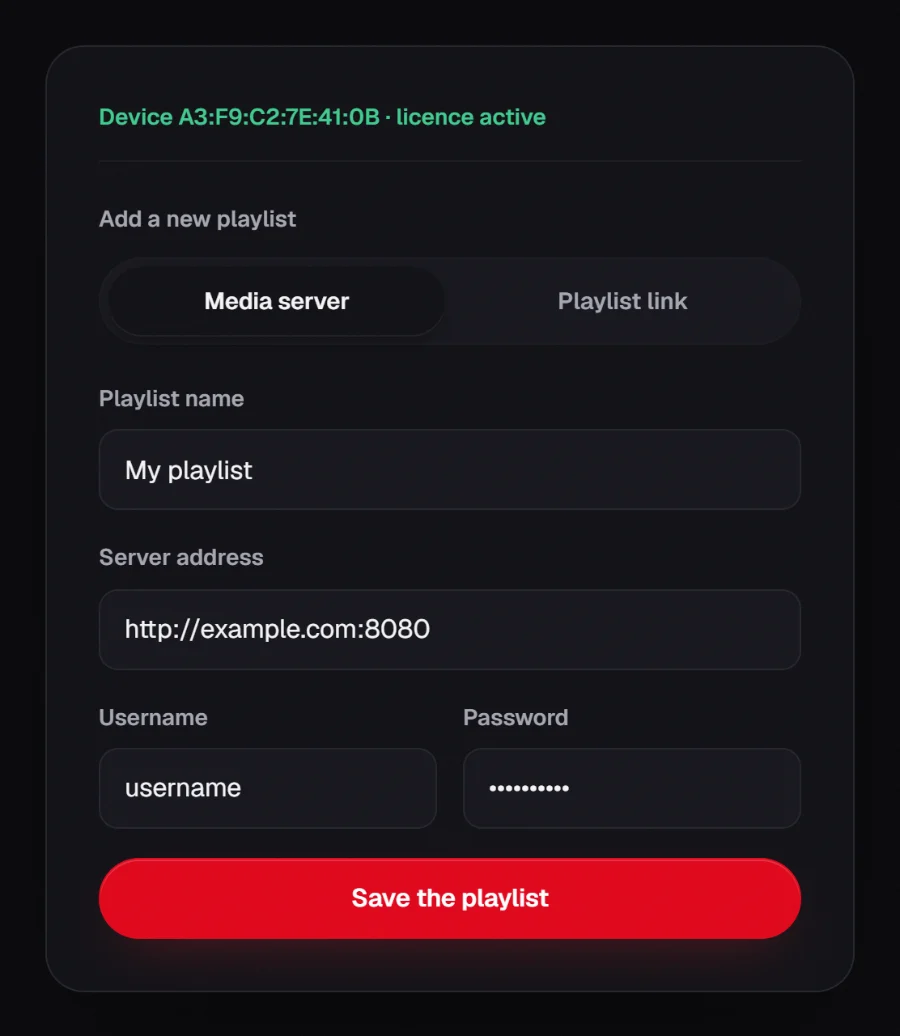
http://example.com/my-list.m3u. - Add that link like any playlist: the My device page of the site, Playlist link tab, then Save the playlist.
Local network: the rules to know
- A local address, such as 192.168.x.x or the name of a computer at home, can only be reached from your network: the TV must be connected to it, and playback does not work elsewhere.
- The server must accept connections from the TV: a firewall or a login page can block playback.
- File format matters: decoding is handed to the device. An MP4 video in H.264 plays almost everywhere; an old or rare format depends on the model.
What about tuners?
A network tuner receives television by aerial, cable or satellite and rebroadcasts it over your home network. Many publish their channel list in M3U format: that link is then added like an ordinary playlist, and the player plays the streams it lists.
The app has no tuner-specific feature and we keep no list of tested hardware: channel tuning, recordings and access rights remain the job of the tuner and its software. First check that the tuner’s M3U link opens in a video player on a computer.
Frequently asked questions
Can I play a video from a USB drive plugged into the TV?
No. The app does not browse the device’s files. To play that video, it has to be served on the network and listed in an M3U playlist.
Does the app find my media server on its own?
No, it does no DLNA or UPnP discovery. You give it your server’s M3U link once, from the My device page of the site.
Is my personal playlist link kept?
Yes, like any playlist’s: it is saved by the RSKTV service so that it is attached to your device, and the list of titles may be cached. Your videos themselves are not hosted by RSKTV.
Seven-day trial, no card required.